
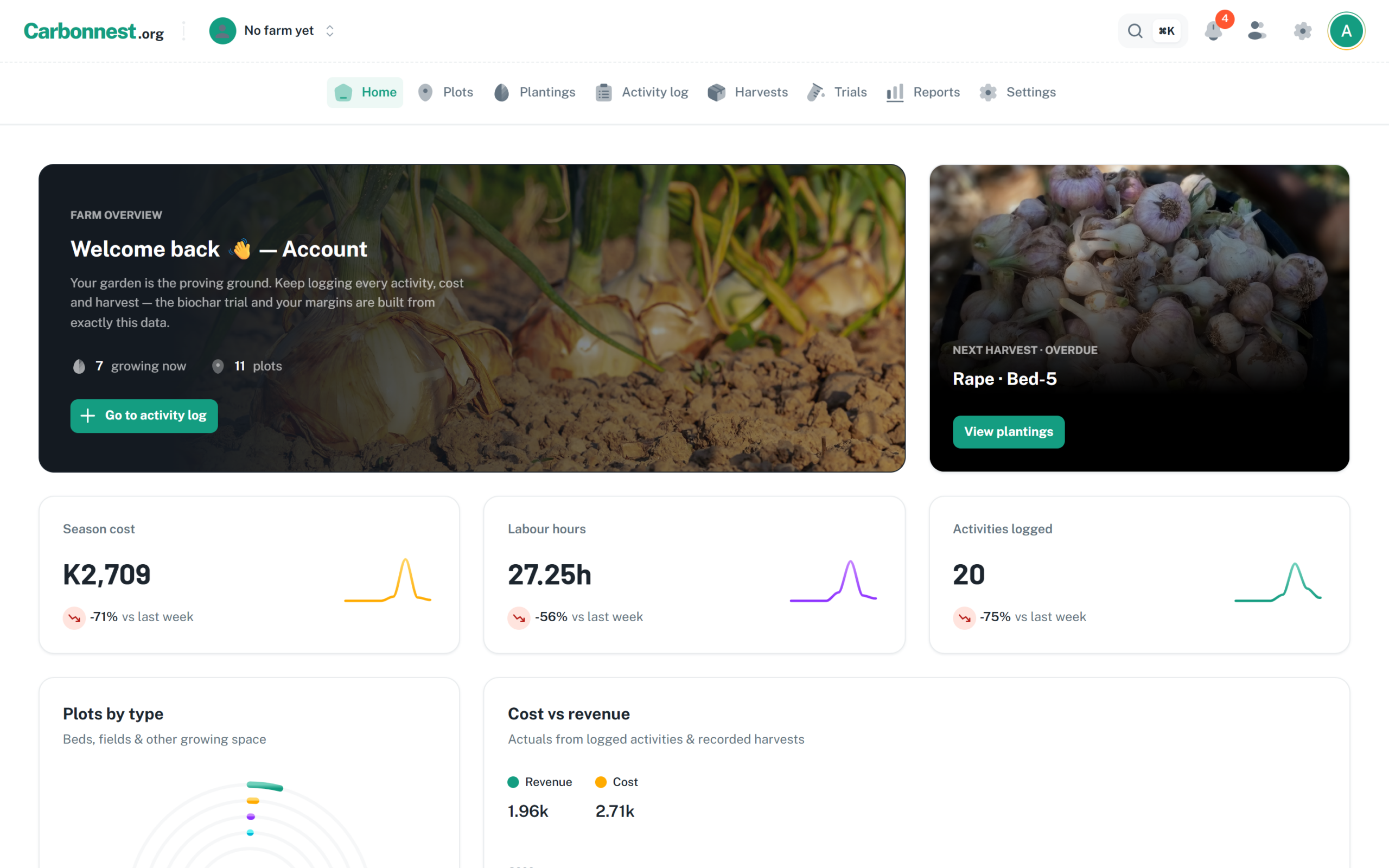
I started building the Carbonnest Farm Dashboard because I was tired of trying to piece farm decisions together from memory. On our farm near Mwembeshi, we planted bananas before we had properly worked out how water would reach the whole block. Then the pump failed. We put in five taps and tried hand-watering, but it was exhausting, and it was never going to be a workable long-term plan.
We have written about those mistakes in How We Are Building a Farm Record System From Real Mistakes and in our banana irrigation recovery plan. I wanted a place where I could connect the plan with the work, inputs, costs and harvest that followed. That is what I have been building at the Carbonnest Farm Dashboard.
What I wanted the farm dashboard to keep in one place
I did not want another spreadsheet where a planting lived in one tab, fertilizer costs in a notebook and harvest notes in a message thread. In the dashboard I can:
- set up a plot with its area and soil notes;
- record a planting, the crop and its expected harvest date;
- log field activities and the inputs, labour and costs involved;
- record a harvest against the planting it came from;
- review reports built from the costs and harvest information entered; and
- set up a field trial with plots and treatments to compare.
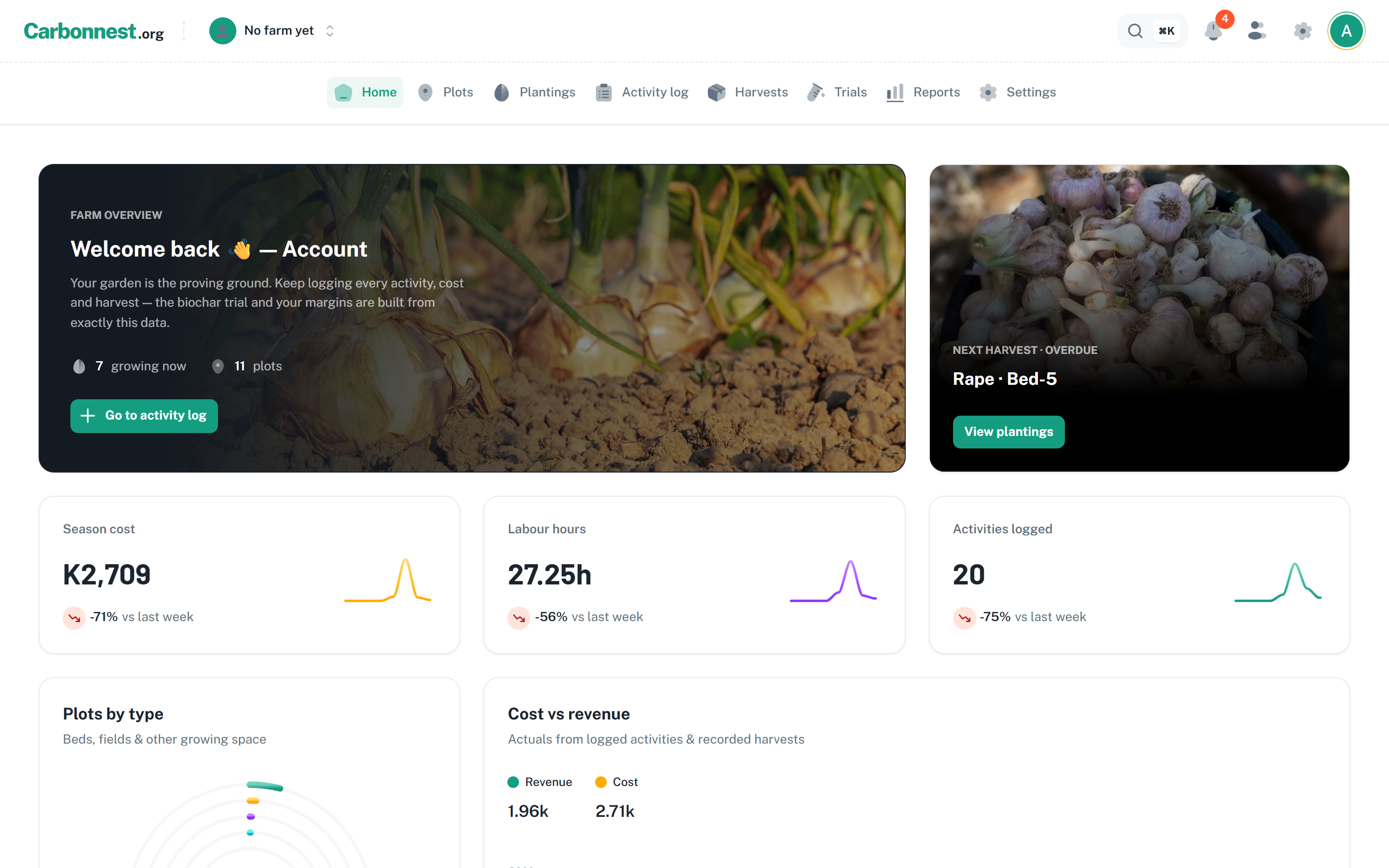
For example, when I look back at an onion bed, I want to find its planting date, what we applied, what that cost and what we harvested without hunting through several records. I can then ask whether the numbers make sense and check the entries behind them.
The dashboard only works as well as the records I put into it. It will not remember a purchase I forgot to enter, measure water flow by itself or tell me that fertilizer caused a crop to improve. I still need the receipts, field observations and honest comparisons. The software gives me somewhere to keep them together.
Why I made it usable by more than one person
I do not do every farm task alone, and the people helping to manage a farm may have different responsibilities. One person may handle fieldwork; another may keep records or review costs. I added a way for the farm owner to give an existing Carbonnest account access to that same farm. The person gets an email invitation, and the dashboard can send farm updates by email. Browser push alerts are optional for people who turn them on.
Having a shared place does not automatically make our records consistent. We still need to agree who enters a purchase, how soon fieldwork gets logged and how we correct an entry. But at least we can work from the same farm record instead of forwarding screenshots of separate notes.
I am still learning what the dashboard needs
The dashboard grew from questions our own work raised: where did the irrigation plan go wrong, what did each stage cost, and how will I compare trial plots fairly? I do not yet know which parts will save us the most time over a full season. To find out, I need to use it through busy and quiet weeks, then see which records we maintain and which forms get in the way.
My next step is to use it for ordinary farm work, not just demonstrate screens. I want to enter the work as it happens, check the costs against receipts and compare the harvest with what we planned. When I have results, I will write about what the records show, including where they are incomplete.
If you would like to try the dashboard, email me at brightmafungautsikapamulomo@gmail.com. Tell me a little about what you do, and I will set you up with guest access so you can look around the farm records without changing them. The dashboard is at dashboard.carbonnest.org. I built it to help me make better decisions on our farm; I hope it can help your team too.

